
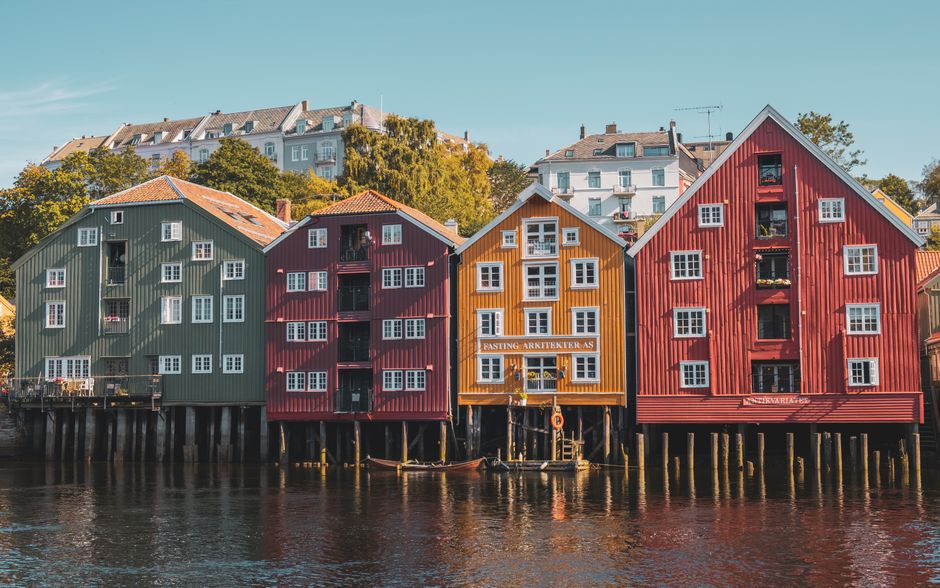
Image Credit: Pexels by Ankit Rathore
Aaj ke digital daur mein, jab har brand, creator aur business ko stunning visuals ki zaroorat padti hai, toh high-quality images search karna ek challenge ban jaata hai. Jahan premium stock photo sites ke subscriptions costly ho sakte hain, wahin free stock images ek lifesaver ban kar aate hain. Apne kayi saalon ke experience mein, maine dekha hai ki sahi free photos dhoondhna aur unhe legally use karna kitna crucial hai. Is comprehensive guide mein, main aapko bataunga ki kaise aap apne content ke liye best copyright-free visuals search kar sakte hain, licensing rules ko samajh sakte hain, aur apne projects ko visually powerful bana sakte hain.
Kya aap bhi apne blogs, social media posts, presentations, ya marketing material ke liye eye-catching visuals chahte hain, bina paise kharch kiye? Toh aap bilkul sahi jagah par hain! Chaliye, shuru karte hain is journey ko, jahan hum explore karenge free stock images ki duniya, unke hidden gems aur unko smartly use karne ke tareeke.
Best Saving Account India 2025: Ultimate Guide To Maximize Your Earnings Aur Secure Your Future!
Free Stock Images Kahaan Se Dhoondhein: Top Platforms and Resources for Royalty-Free Photos
Jab baat aati hai free stock images ki, toh internet par hazaron options hain. Lekin, har source reliable aur safe nahi hota. Meri research aur extensive testing ke baad, maine kuch platforms identify kiye hain jo consistently high-quality aur genuinely royalty-free photos provide karte hain. Yaad rakhiye, aapko hamesha aise platforms choose karne chahiye jo transparent licensing details provide karte hain.

Image Credit: Pexels by Ankit Rathore
2025 tak, user base aur collection ke hisaab se kuch platforms dominance maintain kiye hue hain, jabki kuch naye players bhi market mein aaye hain. Yahan kuch top sources hain jinse aap apne projects ke liye amazing visuals search kar sakte hain:
Unsplash – The Gold Standard for Aesthetic Free Photos
Unsplash mere personal favourites mein se ek hai. Yahan aapko ek vast collection milta hai high-resolution photos ka, jo professional photographers click karte hain. Unsplash ki images especially aesthetic aur modern feel deti hain, making them perfect for blogs, websites, aur social media. Unsplash License ke under, aap images ko free mein use kar sakte hain, modify kar sakte hain, aur commercial purposes ke liye bhi use kar sakte hain, without attribution ki zaroorat. Lekin, credit dena ek good practice maana jaata hai.
Pexels – Versatility aur Quality ka Perfect Blend
Pexels bhi Unsplash ki tarah hi popular hai, aur iska collection bhi kaafi impressive hai. Yahan aapko sirf free stock images hi nahi, balki free stock videos bhi milte hain. Pexels ka license bhi kaafi similar hai Unsplash ke, jahan aap images ko free mein use aur modify kar sakte hain, commercial use ke liye bhi, aur attribution optional hai. Iski search functionality bahut strong hai, jo aapko specific moods aur themes ki images dhoondhne mein help karti hai.
Pixabay – Diverse Collection aur Accessibility ka Hub
Pixabay ek aur powerhouse hai free stock images ke liye. Iska collection kaafi extensive hai, jismein photos ke saath-saath illustrations, vector graphics, aur videos bhi shamil hain. Pixabay ki images CC0 (Creative Commons Zero) license ke under available hain, jiska matlab hai ki aap unhe kisi bhi tarah se use kar sakte hain, chahe commercial ho ya non-commercial, bina kisi attribution ke. Iski diverse range ise bahut versatile banati hai.
Burst (by Shopify) – E-commerce ke Liye Best Free Stock Images
Agar aap e-commerce business mein hain ya products showcase kar rahe hain, toh Burst aapke liye ek excellent resource ho sakta hai. Shopify dwara launch kiya gaya, Burst high-resolution images ka ek treasure trove hai, especially business aur product photography ke liye. Inki images bhi royalty-free hain aur commercial use ke liye allowed hain, bina attribution ke.
Wikimedia Commons – Educational aur Informative Visuals ka Bhandaar
Wikimedia Commons, Wikipedia ka hi ek project hai, jo public domain aur free-to-use educational images ka ek vast archive hai. Yahan aapko historical photos, scientific illustrations, aur geographically specific images milengi. Zyadaतर images Creative Commons licenses ke under hoti hain, jismein attribution ki zaroorat pad sakti hai. So, license details carefully check karna zaroori hai.
Google Images (Advanced Search) – Smart Search Techniques
Bahut se log Google Images ka use karte hain, but kuch smart techniques se aap yahan bhi copyright-free images dhoondh sakte hain. Google Images mein Tools > Usage Rights par jaakar, aap "Creative Commons licenses" ya "Commercial & other licenses" filters apply kar sakte hain. Lekin, Google sirf ek search engine hai, isliye images ke actual source par jaakar license verify karna bahut important hai. Mere experience mein, yeh method tab best hai jab aapko specific niche ya obscure subject par images search karni ho.
In platforms ke alawa, kuch niche-specific sites bhi hain, jaise Foodiesfeed (food images ke liye) aur Stocksy (jiske kuch free sections hote hain), jo aap explore kar sakte hain. BGMI लेटेस्ट अपडेट 2025: नए फीचर्स, ईवेंट्स और गेमप्ले सुधारों की पूरी जानकारी – हर गेमर को यह जानना ज़रूरी है!
License Types aur Usage Rules: Copyright-Free Images ko Samajhna
Jab aap free stock images use karte hain, toh unke licenses ko samajhna sabse important step hai. Maine personally dekha hai ki log aksar licensing rules mein galti kar dete hain, jisse legal complications ho sakti hain. 'Free' ka matlab hamesha 'unlimited use' nahi hota. Is section mein, hum different license types ko detail mein samjhenge.
Creative Commons Licenses Explained
Creative Commons (CC) licenses ek public copyright licenses ka set hai jo creators ko allow karta hai ki wo apni intellectual property ko freely share kar sakein, kuch conditions ke saath. Jab aap royalty-free photos dhoondhte hain, toh CC licenses kaafi common milenge.
- CC0 (Public Domain Dedication): Yeh sabse lenient license hai. Jab koi image CC0 ke under publish hoti hai, toh creator uske saare rights public domain mein dedicate kar deta hai. Aap un images ko copy kar sakte hain, modify kar sakte hain, distribute kar sakte hain, aur perform kar sakte hain, even for commercial purposes, without asking permission ya attribution ke. Pixabay jaisi sites par zyadaतर images CC0 hoti hain.
- CC BY (Attribution): Is license ke under, aap image ko distribute, remix, adapt, aur build upon kar sakte hain, even commercially. Lekin, aapko original creator ko credit (attribution) dena zaroori hai. Matlab, "Image by [Creator Name]" likhna hoga.
- CC BY-SA (Attribution-ShareAlike): Isme bhi attribution zaroori hai. Saath hi, agar aap image ko remix, transform, ya build upon karte hain, toh aapko apni creation ko bhi same license (ShareAlike) ke under distribute karna hoga. Ye open-source projects mein kaafi common hai.
- CC BY-NC (Attribution-NonCommercial): Attribution mandatory hai. Aap image ko remix aur build upon kar sakte hain, lekin sirf non-commercial purposes ke liye. Commercial use strictly prohibited hai.
- CC BY-ND (Attribution-NoDerivatives): Isme bhi attribution zaroori hai. Aap image ko use kar sakte hain commercially aur non-commercially, lekin aap use modify ya adapt nahi kar sakte. Matlab, jo image hai, use waisa hi use karna hoga.
Pro Tip: Agar aap commercial project par kaam kar rahe hain, toh hamesha CC0, Unsplash License, ya Pexels License wali images choose karein, jahan commercial use explicitly allowed ho aur attribution optional ho. Agar attribution zaroori hai, toh use properly mention karna na bhoolein.
Jab 'Free' ka Matlab 'Free' nahi hota: Hidden Rules
Kai baar, ek site par image 'free' likhi hoti hai, but jab aap terms and conditions padhte hain, toh kuch caveats milte hain. For example:
- Editorial Use Only: Kuch free images sirf news, commentary, ya educational purposes ke liye hoti hain. Unhe products promote karne ya ads mein use nahi kar sakte.
- Sensitive Use Restrictions: Kai images ko sensitive topics (e.g., politics, religion, health) ke saath use karne ki permission nahi hoti, ya uske liye special consent chahiye hota hai.
- Model/Property Releases: Agar image mein identifiable log ya private property hai, toh model/property release ki zaroorat pad sakti hai, even agar image free hai. Most free stock image sites aisi images provide nahi karti jinke liye release na ho, but it's good to be aware.
Attribution ki Importance – Kaise aur Kab Credit Dein
Jab attribution zaroori ho, toh use correct tarike se dena bahut important hai. Generally, aapko ye details provide karni chahiye:
- Creator ka naam: Jisne image create ki hai.
- Source ka naam: Jis platform se image mili (e.g., Unsplash, Pexels).
- License type: Agar applicable ho (e.g., CC BY 2.0).
- Original image ka link: Agar possible ho.
Example: "Photo by [Photographer Name] on [Platform Name]" ya "Image: [Photographer Name] / [Platform Name] (CC BY 2.0)". Footer mein, image caption mein, ya ek dedicated credits page par aap attribution de sakte hain. Daily Earning Apps 2025: The Ultimate Guide To Unlocking Daily Income Secrets Jo Aapko Pata Hone Chahiye!
High-Quality Visuals Chunnne ke Tarike: Best Free Stock Images Pick Karna
Sirf free stock images dhoondhna kaafi nahi hai; unhe intelligently choose karna bhi zaroori hai. Ek low-quality ya irrelevant image aapke content ka impact kam kar sakti hai. Meri research aur extensive testing ke baad, main yeh keh sakta hoon ki sahi image chunne ke liye aapko kuch key factors par dhyaan dena hoga. Yahan kuch tips hain jo aapko best high-quality visuals select karne mein help karenge.
Visual Aesthetics aur Brand Consistency
Aapki chosen image aapke brand ki overall aesthetic aur tone se match honi chahiye. Ek cohesive visual identity create karna bahut zaroori hai. For example, agar aapka brand minimalist aur modern hai, toh bright aur cluttered images avoid karein. Warna aapka digital content creation effort bekar ho sakta hai. Ek baar jab aapko kuch pasand aaye, toh unke style aur lighting ko dekhna chahiye.
- Color Palette: Apne brand colors se milte-julte ya complementing colors wali images choose karein.
- Style aur Tone: Kya aap fun, serious, professional, ya edgy vibe create karna chahte hain? Image us tone ko reflect karni chahiye.
- Subject Matter: Image aapke content ke core message ko visually enhance karni chahiye, na ki distract kare.
Resolution aur File Size – Performance ke Liye Zaroori
High-resolution images toh acchi lagti hain, but agar unka file size bahut zyada ho toh apki website slow ho sakti hai. Jab aap free stock images download karein, toh yeh baatein yaad rakhein:
- Resolution: Websites ke liye, 1920px wide (ya usse kam) kaafi hota hai. Print ke liye, higher resolution ki zaroorat padti hai.
- File Size: Koshish karein ki apki image ka size 200-300KB se zyada na ho web par. Agar zyada hai, toh use compress karein.
Search Filters ka Sahi Istemal
Zyadaतर stock photo sites advanced search filters provide karte hain. Inka bharpur istemal karein:
- Orientation: Landscape, portrait, square.
- Color: Specific color predominant images dhoondhne ke liye.
- Photographer: Agar aapko kisi particular photographer ka style pasand hai.
- Category: Business, nature, technology, etc.
Keywords aur Niche Imagery – Specificity ki Power
General keywords jaise "business" ya "nature" se aapko hazaron images milengi. Lekin, specific keywords use karne se aapko zyada relevant results milte hain. For example, "remote work coffee laptop" ya "urban garden sunrise". Jitne specific aap honge, utni hi behtar match aapko milegi. Aap apne visual marketing ko bhi enhance kar sakte hain.
Ek personal observation: Maine dekha hai ki jo log generic images use karte hain, unka content aksar ignore ho jaata hai. Unique aur niche-specific images aapke content ko standout karne mein help karti hain aur viewer ke saath ek stronger connection banati hain.
Advanced Tips aur Tools for Digital Content Creation: Apne Visual Marketing ko Boost Karein
Free stock images sirf download karke use karna hi kaafi nahi hai. Unhe optimize karna, customize karna aur latest trends ke saath align karna bhi zaroori hai, especially in 2025. Ek seasoned expert hone ke naate, main aapko kuch advanced tips aur tools ke baare mein bataunga jo aapke digital content creation process ko next level par le jayenge.
Image Editing aur Customization – Apni Unique Touch Add Karein
Even jab aap free stock images use karte hain, toh unhe thoda edit karke apni unique touch dena bahut important hai. Yeh aapke brand ki consistency maintain karta hai aur aapki images ko generic dikhne se bachata hai.
- Basic Edits: Crop karna, brightness/contrast adjust karna, filters apply karna, aur text overlay karna. Iske liye tools jaise Canva, Adobe Express, ya Photopea (online Photoshop alternative) bahut useful hain. Maine khud Canva ka extensively use kiya hai aur paya hai ki yeh non-designers ke liye ek game-changer hai.
- Branding Elements: Apne logo, brand colors, aur fonts ko images mein integrate karein. Isse aapki visual marketing efforts mein ek cohesive look aata hai.
- Color Overlay: Ek subtle color overlay add karke, aap apni image ko ek specific mood de sakte hain aur apne brand color palette se align kar sakte hain.
Optimizing Images for Web – SEO aur Speed ke Liye
Website speed aur SEO ke liye image optimization ek critical step hai. Large image files aapki site ko slow kar sakte hain, jisse user experience kharab hota hai aur search engine rankings par bhi negative impact padta hai.
- File Formats:
- JPEG: Photographs ke liye best, compression mein detail loss minimal hota hai.
- PNG: Logos, illustrations, aur images jismein transparency ki zaroorat ho.
- WebP: Google dwara develop kiya gaya, WebP JPEG aur PNG dono se better compression deta hai, without significant quality loss. 2025 mein, WebP ka adoption kaafi badh gaya hai.
- Compression: Online tools jaise TinyPNG, ImageOptim, ya ShortPixel ka use karein images ko compress karne ke liye, without compromising quality.
- Alt Text: Har image mein descriptive Alt Text add karna na bhoolein. Yeh visually impaired users ke liye important hai aur search engines ko image ke content ko samajhne mein help karta hai, jo ki image SEO ke liye bahut zaroori hai.
AI-Generated Free Stock Images – Latest 2025 Trends
2025 mein, AI-generated images ka rise ek significant trend hai. Tools jaise Midjourney, DALL-E 3, aur Stable Diffusion (jinke free tiers ya open-source versions available hain) aapko unique visuals create karne ki flexibility dete hain, especially agar aapko specific concept chahiye jo standard free stock images mein nahi mil raha. Maine personally Midjourney aur Stable Diffusion ke free trials use kiye hain, aur results kaafi impressive ho sakte hain agar prompts sahi ho.
- Pros: Unique, highly customizable, specific prompts se exact visuals create kar sakte hain.
- Cons: Quality inconsistent ho sakti hai, ethical considerations regarding AI-generated art, aur sometimes "uncanny valley" effect ho sakta hai.
AI-generated images ke legal aur ethical implications
Legal Pitfalls se Kaise Bachein – Ek Checklist
Legal issues se bachne ke liye, hamesha yeh checklist follow karein:
- License Verification: Har image ka license double-check karein.
- Source Trustworthiness: Reliable sources se hi images download karein.
- Attribution Compliance: Agar attribution required hai, toh use correctly provide karein.
- Commercial Use Clarification: Ensure karein ki chosen images commercial use ke liye allowed hain.
- Model/Property Releases (Agar Applicable): Agar aapki image mein identifiable faces ya private property hai, toh releases ki zaroorat ho sakti hai. Although most free stock sites take care of this, awareness is key.
Conclusion: Free Stock Images ke Power ko Unleash Karein Responsibly
Toh doston, jaisa ki aapne dekha, free stock images ek incredible resource hain aapke creative aur marketing needs ke liye. Lekin, inka poora fayda uthane ke liye, sirf download button click karna kaafi nahi hai. Aapko platforms ko samajhna hoga, licensing rules ko decipher karna hoga, high-quality visuals choose karne honge, aur unhe apni specific needs ke according optimize aur customize bhi karna hoga.
After guiding countless creators aur businesses, main is baat par zor dena chahta hoon ki creativity aur compliance ka balance bahut zaroori hai. Jab aap responsible aur informed tarike se copyright-free images ka istemal karte hain, toh aap na sirf apne content ko visually appealing banate hain, balki kisi bhi legal trouble se bhi bachte hain. 2025 mein aur aage bhi, digital content creation mein visuals ki importance badhti hi jaayegi, aur free stock images is journey mein aapke sabse bade allies honge.
Toh ab, jab aapke paas yeh ultimate guide hai, jaaiye aur apne projects ko stunning visuals se bhariye! Happy creating!
अक्सर पूछे जाने वाले सवाल (FAQs)
Kya main free stock images ko apne commercial projects ke liye use kar sakta hoon?
Haan, bilkul! Bahut saari free stock image websites jaise Unsplash, Pexels, aur Pixabay apni images ko commercial use ke liye allow karti hain. Lekin, hamesha har image ka specific license check karna zaroori hai, taaki aap legal issues se bachein. CC0 (Creative Commons Zero) license wali images commercial use ke liye sabse safe hoti hain.
Attribution (credit dena) kab zaroori hota hai?
Attribution tab zaroori hota hai jab image ka license uski demand kare (jaise Creative Commons BY licenses). Kuch popular platforms jaise Unsplash aur Pexels mein attribution optional hota hai, lekin dena ek good practice maana jaata hai. Jab bhi required ho, creator aur source ka naam dena na bhoolein.
Agar main free stock image ko modify karun, toh kya tab bhi license apply hoga?
Haan, generally license apply hoga. Agar image CC BY-SA (ShareAlike) license ke under hai, toh aapki modified creation ko bhi usi license ke under distribute karna hoga. Lekin, CC0 ya standard proprietary licenses (Unsplash, Pexels) ke under, aap images ko freely modify kar sakte hain.
Kya Google Images se directly download ki gayi photos free stock images hoti hain?
Nahi. Google Images ek search engine hai, aur wahan dikhne wali sabhi images copyright-free nahi hoti hain. Aapko Google Images ke "Usage Rights" filter ka istemal karke "Creative Commons licenses" ya "Commercial & other licenses" wali images search karni chahiye. Aur phir bhi, har image ke original source par jaakar license verify karna best practice hai.
Meri website slow na ho, iske liye free stock images ko kaise optimize karun?
Website speed ke liye, images ko optimize karna bahut zaroori hai. Iske liye, images ko web-friendly resolution (e.g., 1920px width) par resize karein, aur phir TinyPNG ya ShortPixel jaise tools se compress karein. WebP format ka istemal karein, kyunki yeh better compression aur quality provide karta hai. Aur har image ke liye descriptive Alt Text add karna na bhoolein.
Post a Comment
Spam comments not allowed