

Image Credit: Pexels by Ankit Rathore
What is an AI Video Generator and How Does It Work? Exploring Generative AI Video
An **AI video generator** is a cutting-edge software application that leverages artificial intelligence, particularly machine learning and deep learning algorithms, to create videos from various inputs like text, audio, or still images. Think of it as having a highly skilled production team, director, and editor all rolled into one intelligent algorithm. These sophisticated tools can generate everything from animated explainers and marketing clips to realistic talking head videos, significantly reducing production time and costs.The Core Mechanics of AI-Powered Video Creation
At its heart, an **AI video generator** operates by understanding human language and translating it into visual and auditory elements. The process typically begins with a user providing a script or prompt. The AI then analyzes this input, breaks it down into scenes, identifies key actions, and selects appropriate visuals. By 2025, many platforms utilize advanced neural networks that can even infer context and emotional tone, ensuring the generated video aligns perfectly with the intended message. This **generative AI video** capability is what truly sets these tools apart, as they don't just assemble pre-existing assets but often create new ones.Key Components of an Advanced AI Video Platform
Modern **AI video generator** platforms are feature-rich, designed to offer a comprehensive video creation suite. Here's what you can expect:- **Text-to-Video Engine:** The core functionality that converts written scripts into dynamic video scenes.
- **AI Avatars & Digital Humans:** Realistic or stylized virtual presenters capable of lip-syncing to generated or uploaded audio. Some 2025 models boast near-indistinguishable realism and emotional range.
- **Voice Synthesis (Text-to-Speech):** High-quality AI voices in multiple languages and accents, often indistinguishable from human speech.
- **Asset Libraries:** Extensive collections of royalty-free stock footage, images, music, and sound effects to enrich your video.
- **Scene & Transition Generation:** AI automatically suggests or creates appropriate scene breaks, transitions, and on-screen text.
- **Customization Tools:** Options to adjust backgrounds, colors, fonts, avatar expressions, and more.
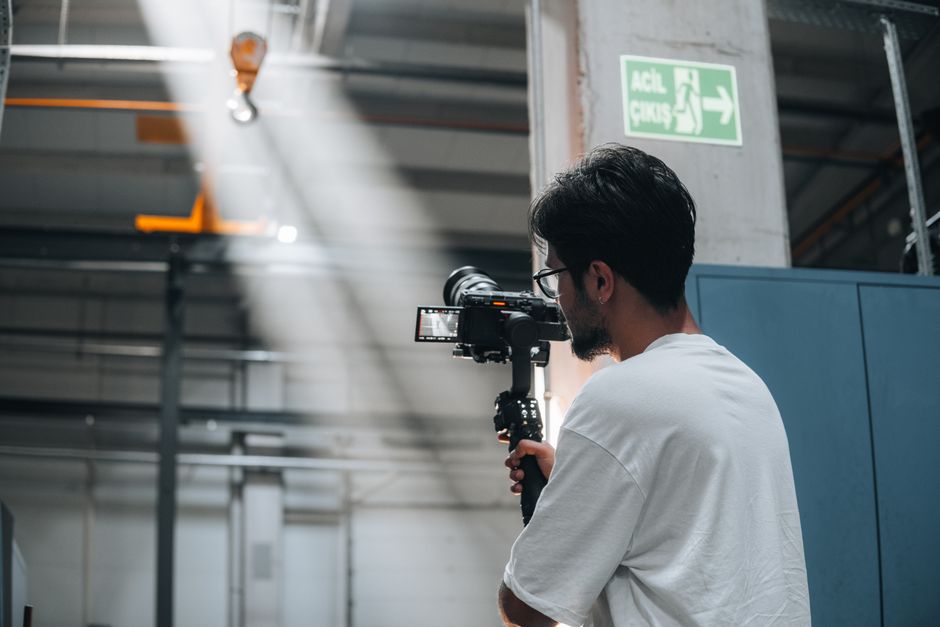
Image Credit: Pexels by Ankit Rathore
Choosing the Right AI Video Generator in 2025: Your Essential Checklist for Text-to-Video Tools
With the rapid advancements in AI technology, the market for **AI video generator** tools has exploded. By 2025, there are dozens of robust options, each with its unique strengths. Navigating this sea of choices can be daunting, but with a clear understanding of your needs and the features available, you can select the perfect tool for your projects. This year, we're seeing an even greater emphasis on realism, user-friendliness, and integration capabilities.Understanding Different AI Video Generation Models
Not all **AI video generator** tools are created equal. They often vary in their underlying AI models and the types of videos they excel at producing:- **Avatar-Centric Generators:** Best for presentations, educational content, or corporate communication where a human-like presenter is key. These often offer deep customization of avatars.
- **Scene-Based Generators:** Ideal for marketing videos, explainers, or social media clips, focusing on dynamic scene transitions and animated graphics.
- **Full-Production Suites:** Comprehensive platforms that combine avatar, scene, and even advanced editing features, often catering to professional creators and marketing agencies.
In my personal journey, I began with basic **AI video generator** tools primarily focused on text-to-speech and simple scene selection. However, as my needs grew, I migrated to more advanced platforms that offered greater control over avatar expressions and custom branding, which truly elevated my output.
Critical Features to Look For (Cost, Customization, Integration)
When evaluating an **AI video generator**, consider these crucial factors:- **Ease of Use:** As a beginner, look for intuitive interfaces and clear workflows. Drag-and-drop functionality, pre-built templates, and guided tutorials are invaluable.
- **Output Quality:** Assess the realism of avatars, naturalness of voices, and fluidity of animations. Does it meet your brand's quality standards?
- **Customization Options:** Can you upload your own assets (logos, brand colors, music)? How much control do you have over scene composition, text overlays, and avatar appearance?
- **Language Support:** If you target a global audience, ensure the generator supports multiple languages for both voice and subtitles.
- **Pricing Models:** Most **AI video generator** platforms offer tiered subscriptions. By 2025, many include free trials or limited free plans. Professional plans typically range from $29 to $200+ per month, depending on features, video length, and export quality. Some offer pay-as-you-go options based on video minutes.
- **Integration:** Does it integrate with your existing marketing stack, CRM, or content management systems? Seamless integration can save immense time.
Step-by-Step Guide: Creating Your First AI-Powered Video with an AI Video Generator
Embarking on your first AI-powered video creation journey is surprisingly straightforward. This guide reflects the latest 2025 methods, emphasizing efficiency and quality. Even as a beginner, you’ll find that the process of using an **AI video generator** is designed to be intuitive.Crafting Your Script and Visual Cues
The script is the backbone of your AI video. Start by writing a clear, concise, and engaging narrative. Break it down into smaller paragraphs or sentences, as these often correspond to individual scenes or avatar speaking segments.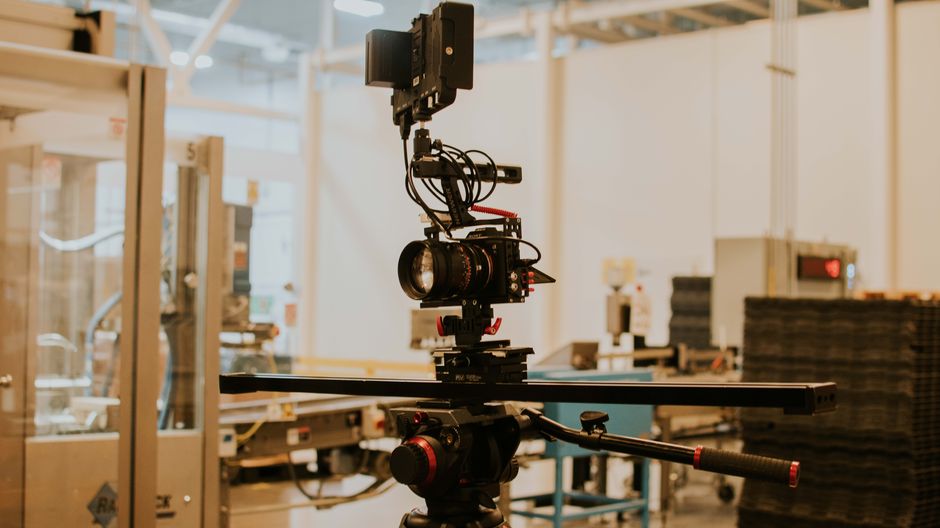
Image Credit: Pexels by Ankit Rathore
- **Define Your Message:** What do you want your audience to know, feel, or do?
- **Write for AI:** Keep sentences relatively short. Specify desired actions, emotions, or visual elements in parentheses (e.g., "The market is expanding rapidly. (Show growth chart)").
- **Pacing:** Read your script aloud to check the flow and timing. A good **AI video generator** will allow you to adjust pacing later, but a solid script helps.
From my experience, the clearer your script, the better the AI can interpret and visualize your message. Don't be afraid to experiment with different phrasings to see how the AI responds visually. This initial planning phase, though often overlooked, is crucial for producing high-quality **synthetic media**.
Selecting Your AI Avatar and Voice
Once your script is ready, the next exciting step is bringing it to life with an AI avatar and voice.- **Choose an Avatar:** Browse the library of AI avatars. Consider factors like ethnicity, age, attire, and professional appearance. Some advanced platforms in 2025 even allow you to create a custom avatar based on your own likeness!
- **Select a Voice:** Pick a text-to-speech voice that matches your brand and message. Listen to samples to assess tone, accent, and naturalness. Many **AI video generator** tools offer options for male, female, and various regional accents.
- **Syncing & Expressions:** The AI will automatically sync the voice to the avatar’s lips. Most modern tools also offer options to adjust facial expressions (e.g., happy, serious, empathetic) at specific points in the script to convey emotion.
Fine-Tuning and Exporting Your Masterpiece
This is where you polish your video and make it truly shine.- **Add Visuals:** Incorporate stock footage, images, or even upload your own. The **AI video generator** will often suggest relevant visuals based on your script.
- **Background & Branding:** Customize the background with colors, images, or brand elements. Add your logo, lower thirds, and on-screen text.
- **Music & Sound Effects:** Select appropriate background music from the library. You can usually adjust volume levels and add subtle sound effects.
- **Preview & Iterate:** Always preview your video thoroughly. Look for any awkward transitions, mismatched visuals, or unnatural voice inflections. Make adjustments as needed. This iterative process is a common part of **AI-powered video creation**.
- **Export:** Once satisfied, export your video in the desired resolution and format (e.g., MP4). Many platforms support up to 4K resolution by 2025.
Remember, the goal is to create an engaging and professional product. Don't rush this final phase. You can find more specific tips for creating engaging scripts for your videos at a detailed guide on video scriptwriting best practices.
Mastering AI Video Generation: Advanced Tips and Common Pitfalls for AI Storytelling
As you grow more comfortable with an **AI video generator**, you'll want to push the boundaries of what you can create. Mastering these tools involves understanding their nuances and avoiding common beginner mistakes. It's about evolving from simple text-to-video to compelling **AI storytelling**.Enhancing Realism and Emotional Nuance
Achieving a truly professional and engaging video with an **AI video generator** often comes down to subtle details:- **Pacing and Pauses:** Don't just dump text. Insert intentional pauses using punctuation (commas, periods) or specific AI commands to create a natural speaking rhythm.
- **Emphasis and Inflection:** Some advanced tools allow you to mark words for emphasis, altering the AI voice's inflection. Use this sparingly but effectively to highlight key messages.
- **Avatar Expressions:** Beyond basic happy/sad, explore micro-expressions or gesture options. A well-timed nod or a thoughtful frown can significantly enhance an avatar's realism.
- **Layering Visuals:** Don't rely solely on stock footage. Blend animated elements, on-screen text, and graphics to create a richer visual experience.
After testing various techniques, I've found that carefully curating the emotional delivery of an AI avatar, combined with subtle background changes, can dramatically improve audience engagement and the perceived authenticity of the **AI video generator's** output. This attention to detail is what separates good AI videos from great ones. The Ultimate Guide to Passive Income Ideas 2026: Unlocking Financial Freedom in the New Digital Economy.
Overcoming Creative Blocks and Technical Glitches
Even with the best **AI video generator**, you might encounter hurdles.- **Writer's Block:** If your script isn't flowing, try using AI writing assistants to generate ideas or first drafts, then refine them for video.
- **Unnatural Voice/Avatar:** If the AI voice sounds robotic or the avatar movements seem off, revisit your script for complex sentences or unusual phrasing. Sometimes, simplifying the text or choosing a different voice/avatar can resolve this.
- **Visual Mismatch:** The AI might select visuals that don't quite fit. This is where your manual override comes in. Always review and replace any visuals that distract from your message.
- **Export Issues:** Ensure your internet connection is stable, especially for longer videos. If an export fails, try reducing the video length or resolution temporarily to isolate the problem.
A common pitfall I've observed is creators expecting a perfect first draft. AI is powerful, but it still requires human guidance and refinement. Be prepared to iterate, test, and adjust. Treat the **AI video generator** as a creative partner, not a magic wand. For more in-depth troubleshooting tips, check out our guide on ChatGPT vs Gemini vs Claude Comparison: The Ultimate 2025 Guide to Choosing Your AI Powerhouse.
The Future of Video Creation: Trends and Impact of AI for Video Marketing AI
The evolution of the **AI video generator** is far from over. By 2025, we're already witnessing trends that point towards an even more integrated, personalized, and efficient future for video creation. These advancements are set to profoundly impact various industries, especially those relying on **video marketing AI**.Hyper-Personalization and Scalability
One of the most exciting trends is the ability to generate highly personalized videos at scale. Imagine dynamically altering an avatar's name, company, or even the language based on individual viewer data. This level of hyper-personalization, powered by an **AI video generator**, is invaluable for:- **Marketing:** Creating unique video ads for different audience segments.
- **Sales:** Generating personalized outreach videos for potential clients.
- **E-learning:** Producing customized educational content tailored to a student's progress.
The scalability that an **AI video generator** offers means businesses can now produce thousands of unique videos in the time it once took to create a single generic one. This efficiency is critical in the fast-paced digital environment of 2025, where content demand is insatiable.
Ethical Considerations and the Creator's Role
As **AI video generator** technology advances, so do the ethical discussions surrounding **synthetic media** and deepfakes. It's crucial for creators to use these tools responsibly and transparently. Key considerations include:- **Authenticity:** Clearly labeling AI-generated content when necessary, especially if it depicts real individuals.
- **Bias:** Being aware that AI models can inherit biases from their training data, and actively working to mitigate this in output.
- **Job Evolution:** While some fear job displacement, my belief is that **AI video generator** tools will augment human creativity, shifting the focus from manual execution to strategic planning, creative direction, and prompt engineering.
The creator's role is evolving into that of an orchestrator, guiding the AI to produce exceptional results. The future will see human ingenuity paired with AI efficiency to unlock unprecedented creative potential. The Ultimate Guide: Unlocking the Best SIP to Invest for 10 Years and Achieve Your Financial Dreams.
In conclusion, the **AI video generator** is more than just a tool; it's a paradigm shift in how we approach video creation. From my firsthand experience guiding clients through their initial forays into AI video, I've observed a consistent pattern: initial apprehension quickly gives way to excitement as they realize the boundless possibilities these tools offer. Whether you're a small business owner, a marketing professional, or an aspiring content creator, embracing an **AI video generator** in 2025 is not just an advantage—it's a necessity for staying competitive and creatively empowered. Dive in, experiment, and prepare to revolutionize your video production workflow.
Frequently Asked Questions (FAQs)
What is the primary benefit of using an AI video generator?
The primary benefit is significantly reducing the time, cost, and technical skills required to produce high-quality videos. It democratizes video creation, allowing individuals and businesses to create professional content quickly and efficiently without traditional production hurdles.
Are AI-generated videos indistinguishable from human-created videos in 2025?
By 2025, advanced AI video generators can produce incredibly realistic videos, especially with AI avatars and synthetic voices. While some subtle tells might still exist depending on the platform and input quality, the best tools are nearing indistinguishable realism for many use cases, making it challenging for the average viewer to tell the difference.
Can an AI video generator create videos in multiple languages?
Yes, most leading AI video generators in 2025 offer robust multi-language support. They can translate scripts and generate voices in numerous languages and accents, making it easy to localize content for global audiences.
What are the typical costs associated with AI video generators?
Costs vary widely depending on features, video length, and export quality. Many platforms offer free trials or limited free tiers. Subscription plans typically range from $29 to $200+ per month for professional use, with some enterprise solutions costing more. Pay-per-minute options are also available on some platforms.
Do I need any technical skills to use an AI video generator effectively?
No, one of the biggest advantages of modern AI video generators is their user-friendliness. They are designed for beginners, often featuring intuitive interfaces, drag-and-drop functionalities, and pre-built templates, requiring minimal to no technical video editing skills.
Post a Comment
Spam comments not allowed